Stroke rate from the boat. Kayak and canoe.
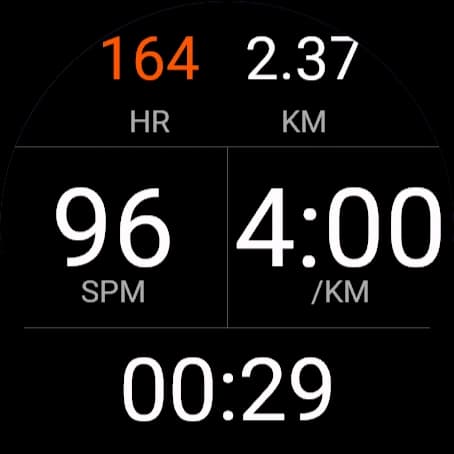
Mount it on the boat.
The boat mountStroke rate from the hull
On the boat, it counts strokes from how the hull surges with each one, tuned separately for kayak and canoe. Garmin's own paddling profiles count nothing from a boat mount, and none counts canoe strokes reliably.
Every stroke in the file
Stroke rate and distance per stroke go into the activity file with your GPS and heart rate.
The raw motion too
The accelerometer, and the gyroscope where the watch has one, logged at the fastest rate the watch allows.
Link your watch.
- 1
Install Locus Fit from the Connect IQ store
Not from a file: only store installs can reach the internet through your phone.
- 2
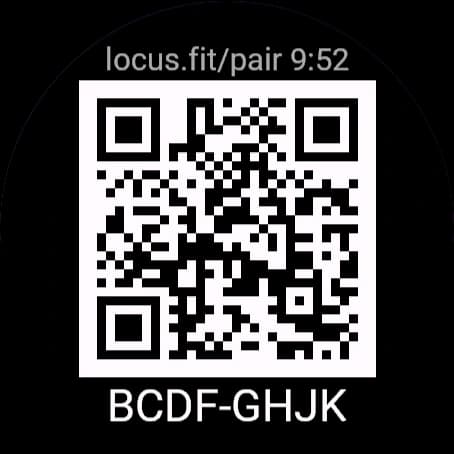
On the watch, open the menu and choose Link Account
Keep your phone nearby. The watch shows a QR code and an 8-letter code for 10 minutes.
- 3
Scan the code with your phone
Or go to locus.fit/pair and type it in. Sign in and tap Link this watch to my account. The watch confirms by itself.
No Link Account on your watch? Smaller watches link with a token: in Settings on locus.fit, choose My watch has no QR screen: make a token, then paste it into the app's settings in the Garmin Connect app. Unlink a watch in the same place.
How sync works.
Your plan, to your watch
When you open the app with your phone nearby
Your session, to Locus Fit
Usually within the hour, once Garmin is connected
A summary of it, straight from the watch
Right after you save, on most watches once linked
Connect Garmin once
- 1
On locus.fit, open Sync and choose Connect Garmin
Sign in with your Garmin email and password, and the code Garmin sends if it asks.
- 2
Paddle and save as usual
Your watch sends the session to Garmin Connect, and Locus Fit picks it up from there. Sync Now pulls it right away.
Garmin accounts that sign in with Google or Apple can't connect this way. Drop the FIT file on the Sync page instead; it takes files from any watch.
Build a workout.
- 1
Open the Workout Builder
Build sets and repeats of pieces by time or distance, each with a zone. Or paste a plan as text.
- 2
Each zone sets the targets
Stroke rate and heart rate targets come from the zone, set for the athlete's boat, sex and max heart rate.
- 3
On the day, open the app
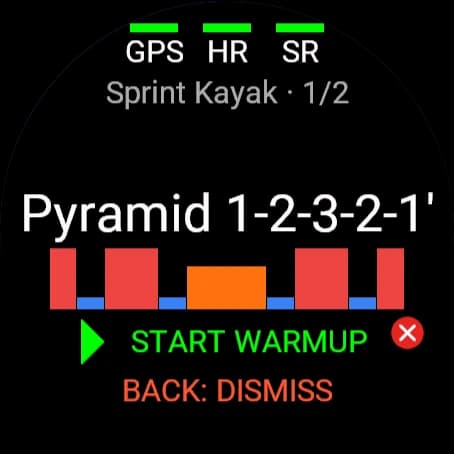
Today's workouts load by themselves. With two in a day, the watch opens on the one planned closest to now and DOWN steps to the other. START WARMUP begins the warmup; START again counts you into piece 1.
On the water
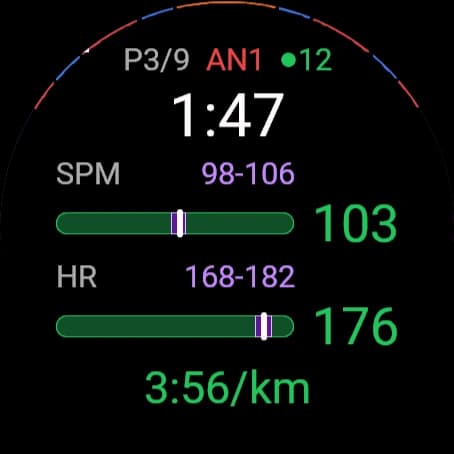
- P3/9 AN1
- Piece 3 of 9, zone AN1
- ●12
- Watches from your group heard on the water; orange when one drops out
- 1:47
- Time left in the piece
- SPM 98-106
- Stroke rate against its target
- HR 168-182
- Heart rate against its target
- 3:56/km
- Pace
Buzzes, not beeps
A countdown into each piece, and a nudge when stroke rate or pace leaves its target or heart rate goes over. Rests stay quiet. Pick which alerts you get in the app's Alerts menu.
Quick actions
Press MENU during a workout for Next piece, +30 s, Mark lap or End workout.
Effort rating
After you save, rate the session from 1 to 10. It goes into the file with everything else.
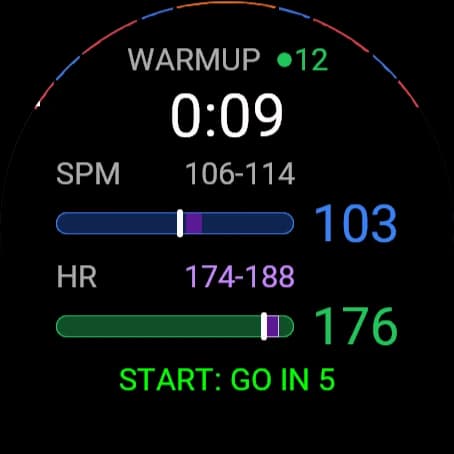
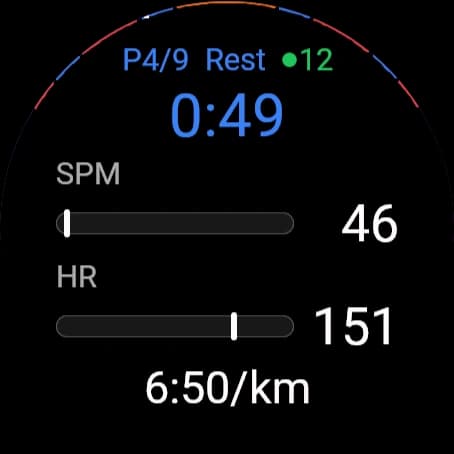
Start together.
- 1
Everyone starts their own session and warms up
Watches in the same training group find each other on the water over ANT. No pairing.
- 2
One athlete presses START, or the coach starts it
From any watch in the group, or from Locus Coach on the coach boat.
- 3
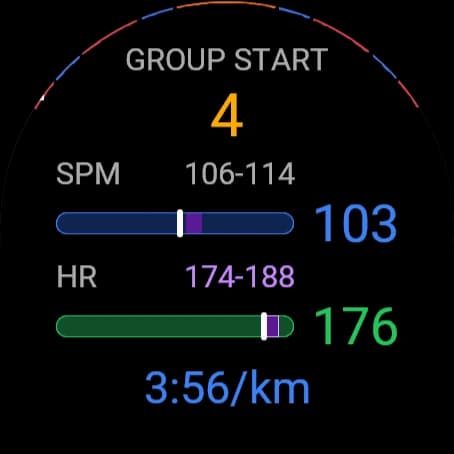
Every watch counts down and goes on the same GO
Piece 1 starts on every watch at once. A watch that joins the countdown late still lands on the same GO.
Nothing starts or stops a recording for you. The countdown only starts the workout on watches already recording and warming up.
BACK on the watch that started it cancels it for everyone. Set the countdown to 3, 5 or 10 seconds under Start Countdown, and turn Group Start off under Start & Finish if you train alone.
For coaches.
- 1
Create a squad
Squads, then Create Squad.
- 2
Make a training group for each crew or level
Settings, Training Groups, Create Group.
- 3
Share each group's link
Athletes who open it join the group and the squad. Copy each group's link in Settings.
- 4
Assign workouts on the Schedule
Pick a group and drag a workout onto a day. It's on every athlete's watch that day.
Athletes link their own watches. You can link one for them from the same QR code: sign in as the coach and choose Link watch to athlete.
Locus Coach, on the coach boat.
Every watch in range
It picks up each athlete's Locus Fit watch on the water by itself. No pairing.
The squad at a glance
Stroke rate, speed, split, heart rate and piece for every athlete, by name.
One athlete up close
A big-number view of a single athlete for technique and rate work.
Who's fastest now
The squad ranked by boat speed, live.
Start a group
Send the countdown from the launch. Every warming-up watch in the group goes on the same GO.
Move an athlete
Put an athlete in another group mid-session; their watch counts and starts with the new group.
Runs on Garmin watches and on Edge bike computers mounted on the launch. Link it with a coach token: in Settings on locus.fit, choose Make a coach token, then paste it into Locus Coach's settings in the Garmin Connect app.
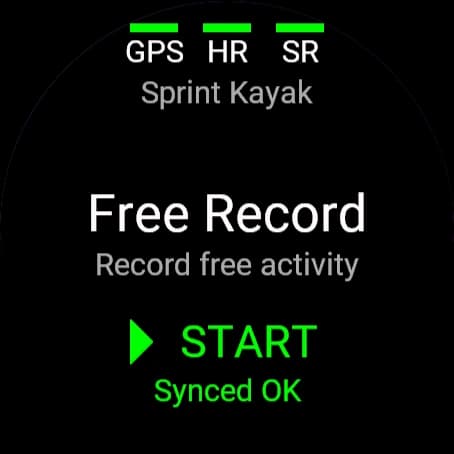
No workout? Just record.
Show up to 6 fields: heart rate, distance, stroke rate, pace, speed, distance per stroke, time of day or the timer. Choose them under Data Fields.
If something's off.
- Phone offline
- Open the Garmin Connect app and keep Bluetooth on. The watch reaches Locus Fit through your phone.
- No workout today
- Nothing is planned for today. The watch only loads today's workouts.
- Installed from a file
- Reinstall from the Connect IQ store. Copies installed from a file can't reach the internet.
- A session hasn't shown up
- Give it an hour, or press Sync Now on the Sync page. If Garmin asks you to reconnect, reconnect.
- Instinct or Descent G1
- These smaller watches record stroke rate, but don't sync workouts, ask for an effort rating, or log the motion sensors.